
Learn to Finish Clean, Confident Voice Audio
A practical course for video producers: edit voiceover, clean up dialogue, balance levels and deliver audio that sits properly against picture, using authorised recordings.

Seven modules, one working order
The course follows the path a recording takes, from the first file check to the final export. Each module builds on the one before and uses authorised recordings with an approved script.
Preparing Source Files
You check, label and organise authorised recordings alongside an approved script. Nothing is edited until the files are named sensibly and the script is confirmed. It is dull work that saves hours later.
Voiceover Editing
You trim breaths, fix stumbles and match takes to the script. The aim is a natural spoken rhythm, so a listener never notices that an edit was made. Practice takes come from recorded reports and explainers.
Dialogue Cleanup
You reduce background noise, hum and harsh sibilance in interview and report recordings. The emphasis is on restraint, because heavy processing damages the voice faster than the noise ever did. You compare before and after.
Level Balancing
You even out loudness between speakers, music and effects so each segment sits comfortably with its neighbours. Exercises use mixed material from explainers and programme segments. You learn to trust your ears as well as meters.
Synchronising With Picture
You lock edited audio to video timelines and correct drift or offset. Exercises cover explainers and pre-recorded programme segments where picture and sound have slipped apart. You learn to spot the problem early.
Review Versions and Revisions
You practise preparing a review version, handling feedback and keeping revisions inside an agreed scope. Clear notes and a fixed number of rounds keep projects calm. Sample feedback rounds let you rehearse the conversation.
Final Delivery Formats
You export finished audio in the right file formats, sample rates and naming for broadcast, web and archive. A delivery checklist closes the module. You finish with files a client can open without a follow-up email.
What you need in place before module one
The course is practical and hands-on, so a little preparation makes the first sessions easier. None of it calls for expensive equipment or earlier audio qualifications.
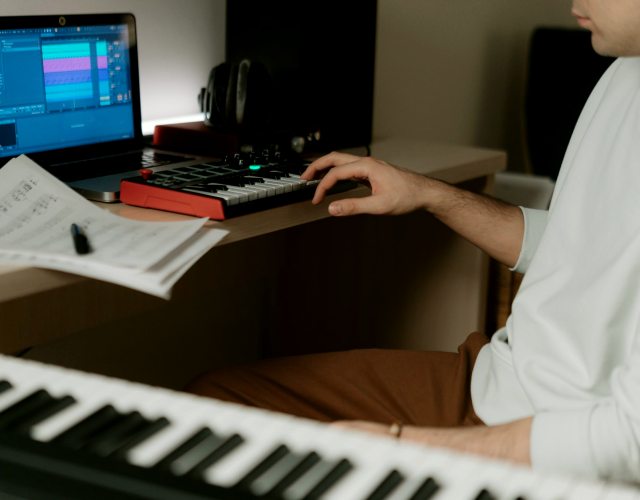
Editing software you know
Bring any audio or video editing application you can already open, import files into and export from. We teach the method, so it transfers between programs.

Decent monitoring
A pair of closed-back headphones or reasonable desk speakers is enough. You will be listening for small differences, so a quiet room helps more than costly gear.
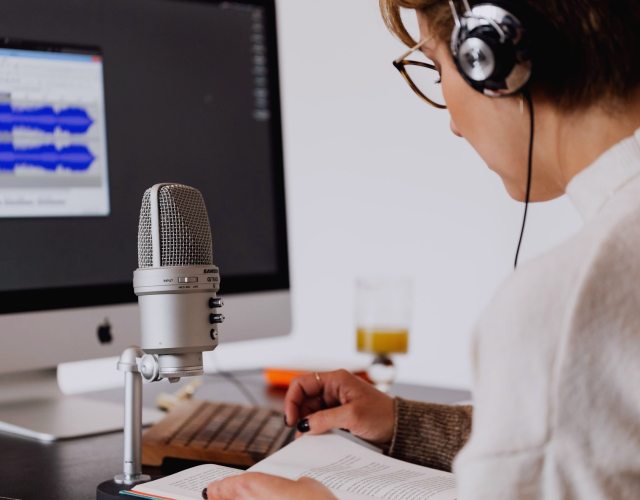
Authorised recordings
Work with material you have the right to edit, such as your own productions or a client's approved files. You will need a script or transcript to match takes against.
Questions we hear often
These are the points people raise most before starting. If yours is not here, the contact page is the quickest way to ask.
- Do I need audio experience to join the course?
- No formal audio background is expected. You should be comfortable using a computer and have edited video or sound at a basic level. The early modules cover file preparation and simple trimming, so you build up steadily rather than starting at a difficult point.
- Which editing software do I need?
- Any audio or video editor that lets you import, cut, apply effects and export will do. The lessons describe the method rather than the buttons of one product. That way you can carry the skills into whichever program your studio or clients prefer.
- What kinds of recordings do we work with?
- The material is voiceover, recorded reports, interview films, explainers and pre-recorded programme segments. All of it is authorised, meaning you have the right to edit it. You also work against an approved script, as you would on a real job.
- What will I realistically be able to do afterwards?
- You should be able to prepare files, edit voiceover, clean up dialogue, balance levels, sync to picture and deliver sensible formats. That is a working skill set, not a guarantee of jobs or income. Your results depend on practice and the material you handle.
- Is there a certificate at the end?
- No accredited certificate is offered. The value of the course lies in the skills and the finished practice projects you can show a client or colleague. We would rather be plain about that than suggest a qualification that does not exist.
- Can you edit my audio for me instead?
- Yes. The same team offers paid editing and review services for producers who prefer to hand work over. Details and prices are on the Prices page, and you can send an enquiry through the contact page.
- Who teaches the modules?
- Rhys Pritchard leads dialogue and voiceover editing, Catrin Hughes covers mixing and delivery, and Daniel Okafor handles sync and review. Each has worked with independent producers. Their approach is described on the Teaching Approach page.
- Where is editionvoze based?
- We work from 14 Wind Street Studios in Swansea, SA1 1DZ, and the course is aimed at producers across the United Kingdom. You can ring 01792 410386 or write to hello@editionvoze.co.uk with questions about fit.
Request an Audio Editing Quote
Send a short note through the contact page and we will reply in writing with questions about your recordings and what you would like done.